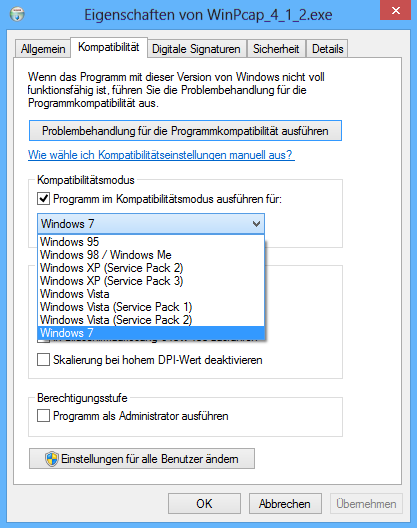
Today I wanted to sniff broadcast packets within a customer network, so I download and installed Wireshark (Wireshark-win64-1.8.2.exe) on my new Windows 8 x64 Installation. WinPcap couldn’t be installed. I only got the message “This version of Windows is not supported by WinPcap 4.1.2. The Installation will be aborted”. To resolve this, just download the single installation file of WinPcap (WinPcap_4_1_2.exe) and start it with Windows 7 compatibility mode and admin rights:

After the installation you can use wireshark as always:







One Response
Thankyou :)